Settings - Agents
Agents and Applications is where administrators manage the AI agents available to the active organization.
When to use
- Use Agents to create a new agent for the organization.
- Use it to edit agent information, attributes, or status.
- Use it to activate, deactivate, view, or delete agents.
Before you start
- Confirm the active organization.
- This section appears only for users with administrative access.
- Some agent types require a JSON file or dynamic attributes.
- Inactive agents may stop appearing as available for use on Home.
Step by step: review agents
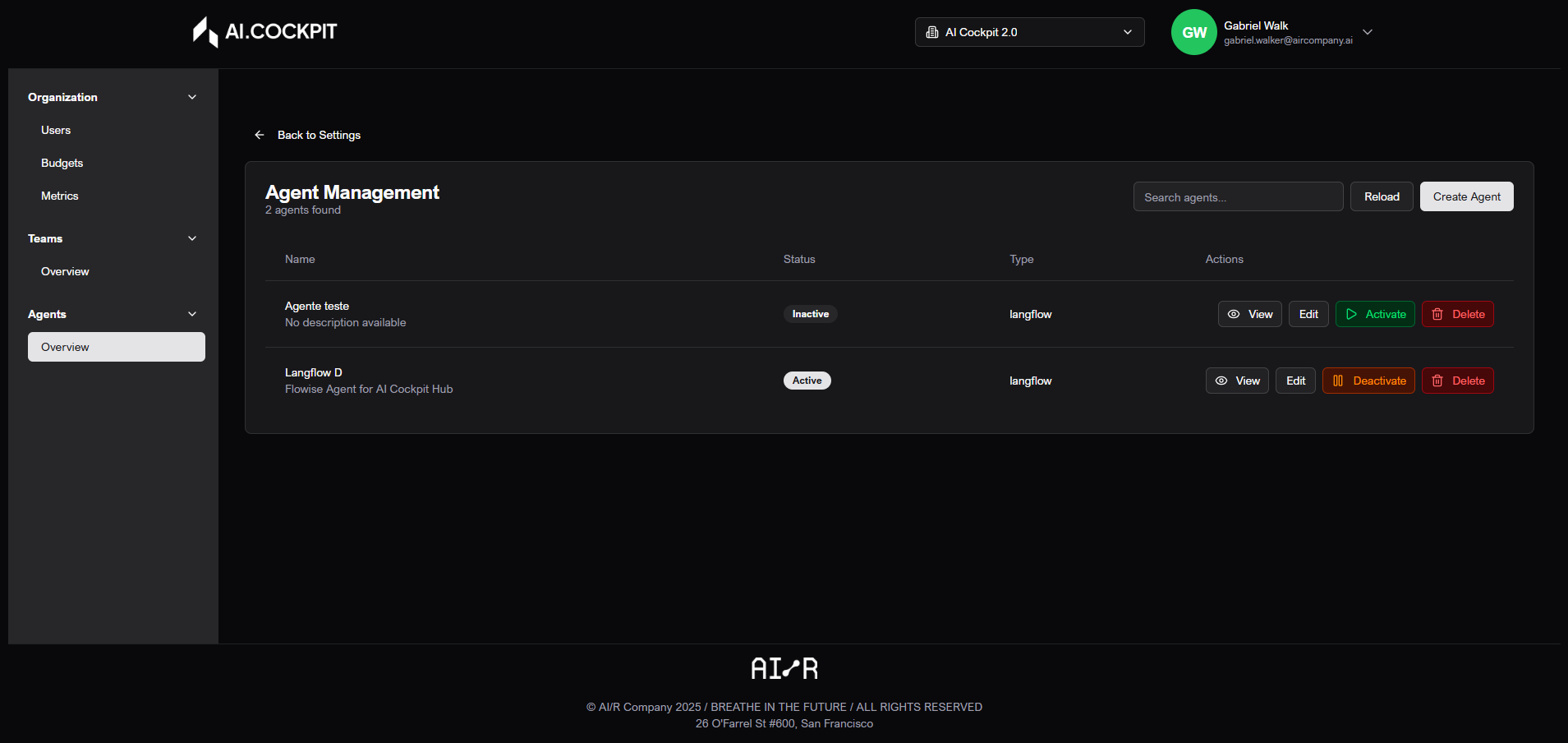
- Open Settings > Agents and Applications.
- Use search to locate agents.
- Check whether each agent is active or inactive.
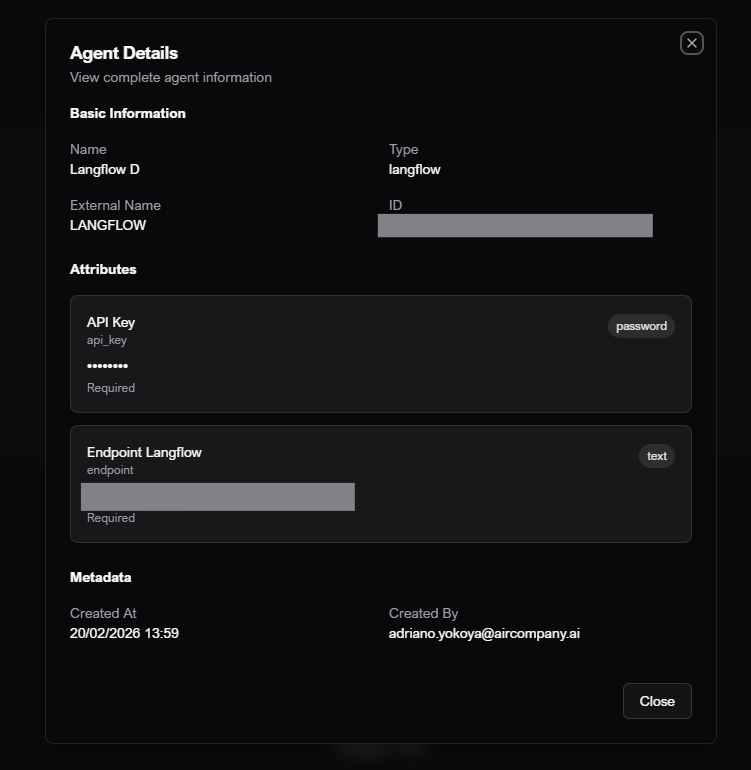
- Use the view action to review details.
Step by step: create an agent
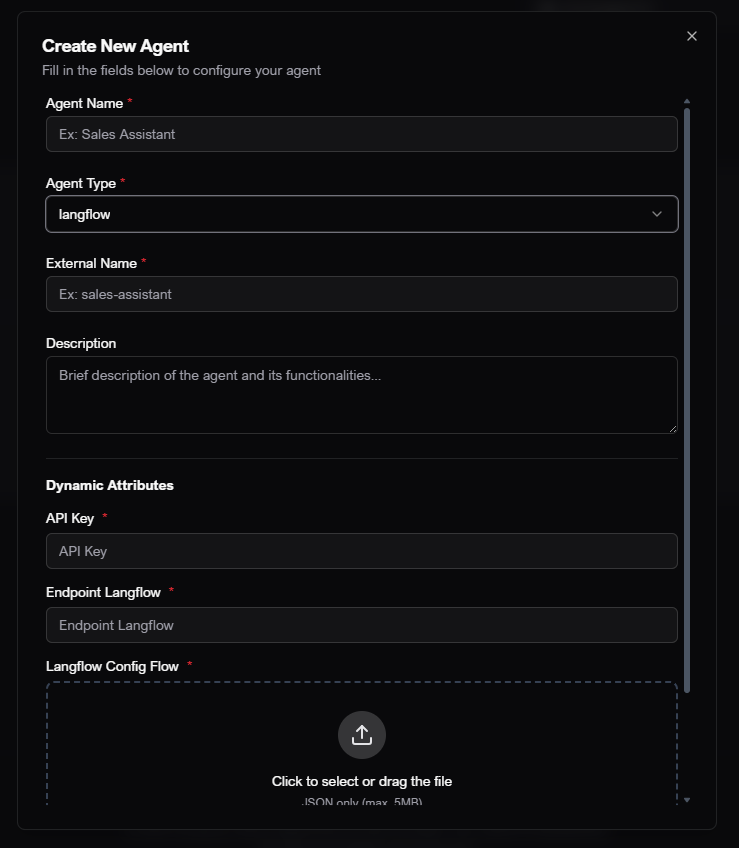
- Click Create Agent.
- Enter the agent name.
- Enter the external name when requested.
- Select the agent type.
- Write a short description.
- Upload the JSON file when the selected type requires it.
- Fill in the dynamic attributes shown in the form.
- Define the agent status.
- Save.
Step by step: edit an agent
- Find the agent.
- Click the edit action.
- Update fields, attributes, or status.
- Save.
Step by step: activate or deactivate an agent
- Find the agent.
- Use the Activate or Deactivate action.
- Confirm that the status changed in the table.
- Check Home when you need to confirm whether the agent is available to users.
Step by step: delete an agent
- Find the agent.
- Click the delete action.
- Read the warning.
- Confirm only if the agent is no longer needed.
warning
Deleting an agent is permanent. Users may lose access to the agent, and related conversations may no longer be available.
Understand the screen
| Item | What it means |
|---|---|
| Name | Agent display name. |
| External name | Name used to identify the agent in its configured integration, when required. |
| Type | Agent category or connection type. |
| Description | Short explanation shown to users. |
| Dynamic attributes | Extra fields required by the selected agent type. |
| Status | Indicates whether the agent is available for use. |
Expected result
The agent should appear with the correct status in the list and, when active, be available through Home and Cockpit and Chat with Agents.
Tips and common issues
- If required fields change after selecting the type, fill in the new fields before saving.
- If an agent does not appear on Home, confirm that it is active and available to the selected organization.
- Delete agents only when they are no longer needed.
Flow image
Overview
View agent details
Create agent