Settings - Metrics
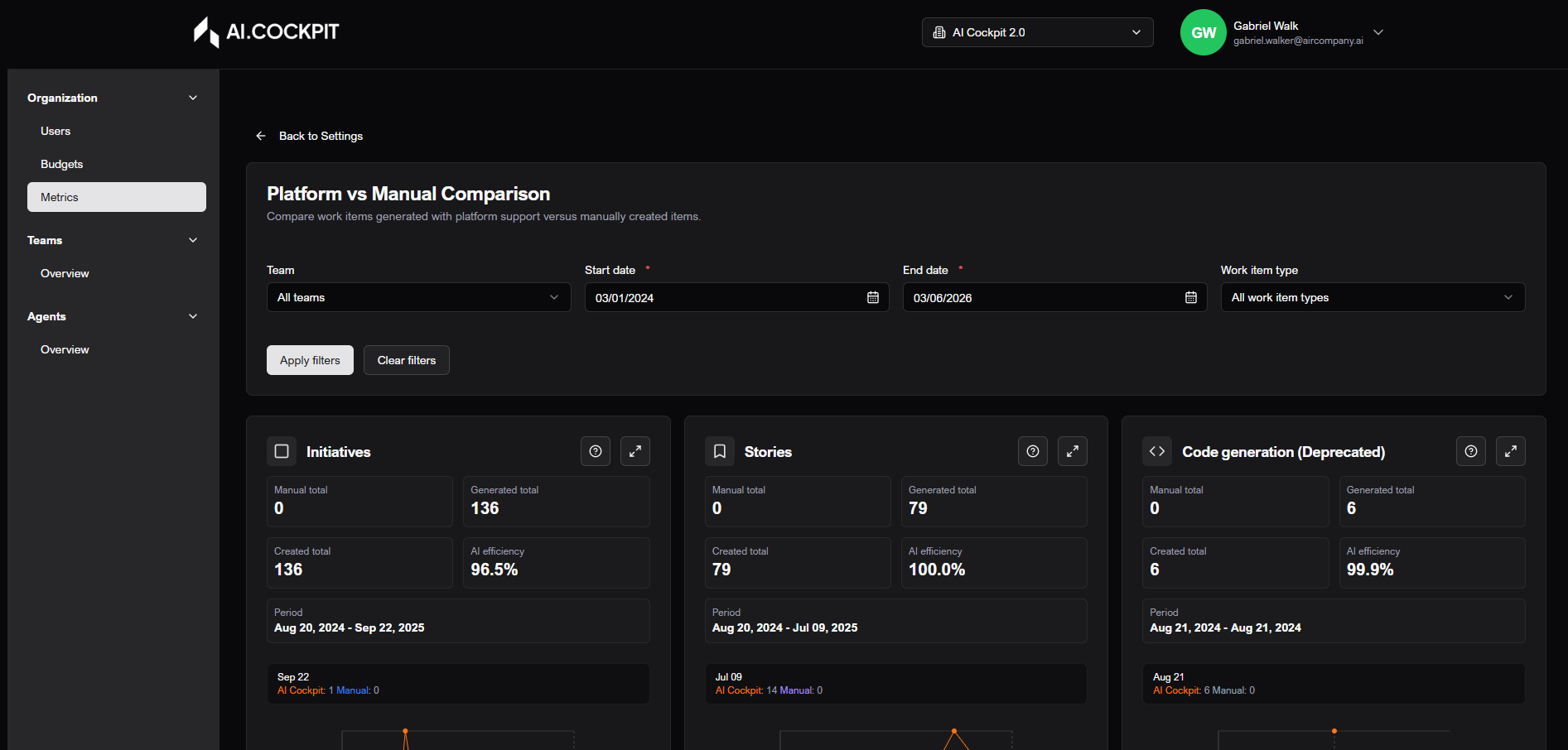
Comparison of deliveries using the platform vs manual execution.
Access notice
This flow is available only to profiles with administrative permission. To learn more, contact an administrator.
What you can do
- Filter by team, period, and item type.
- Apply and clear filters.
- View cards and time series.
- Open chart in full screen and export PNG.
Basic workflow
- Open Settings - Overview and enter Metrics.
- Define period and other filters.
- Click Apply filters.
- Analyze total/efficiency cards and charts.
- Use full screen for detailed analysis and export.
Flow image